
香港紅心辣椒娛樂平台
PayPal使用教學
PayPal Comes to WasabiiHK!
香港紅心辣椒娛樂平台,於10月8日正式全面啟用PayPal功能,會員可透過這簡單、快捷、安全的系統進行線上購點。使用方式如下:
Cayenne (Hong Kong) Limited introduces PayPal as the new payment method on 8 October 2012 for all WasabiiHK members and now you can purchase CT Points more easily and efficiently even you come from the overseas. Tutorial as follows:
步驟一 Step 1:
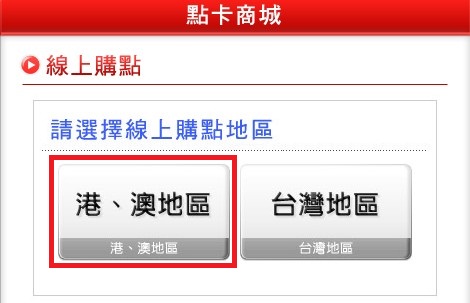
連至「香港紅心辣椒」線上購點選擇港澳地區頁面,輸入帳號密碼登入Wasabii會員系統,如果您還不是Wasabii會員請先進行註冊
Login or Sign up WasabiiHK member account and then click the button of
「Hong Kong and Macau」 on the page of 「Payment」
*玩家Wasabii帳號必須為「認證會員」方可進行儲值轉點 (系統會自動提醒)
*Only 「Verified 」member account can use the PayPal Service (System will ask for verification automatically)
步驟二 Step 2:
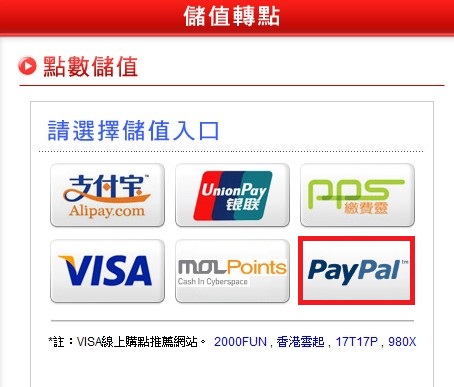
選擇PayPal進行儲值
Click 「PayPal」to start purchasing
步驟三 Step 3:
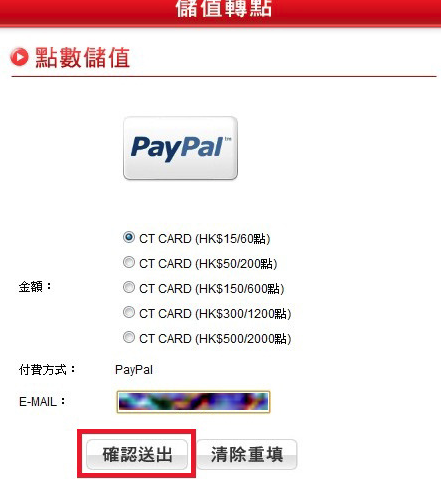
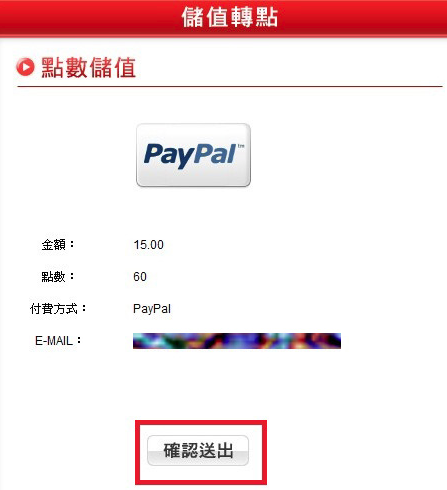
選擇所需購買的點數及金額後,輸入有效電郵地址並按下確認送出
Choose the desired option, insert the correct and valid email address and then press the confirm button.
步驟四 Step 4:
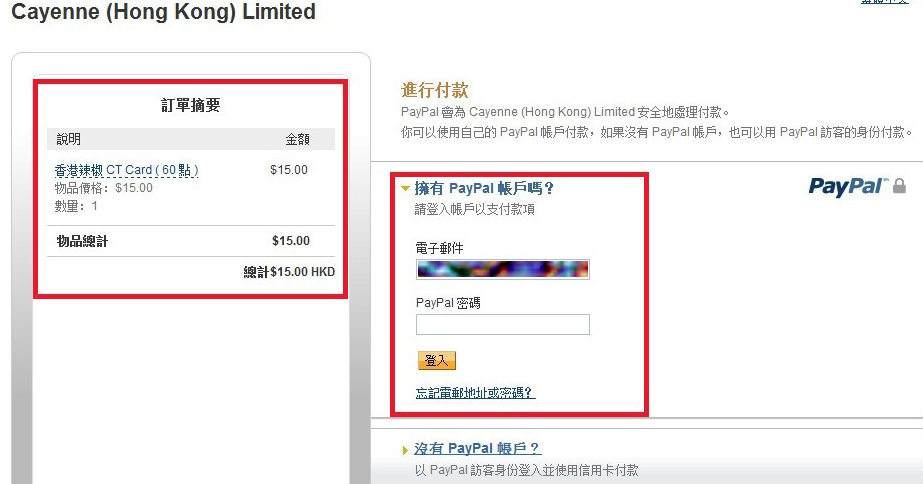
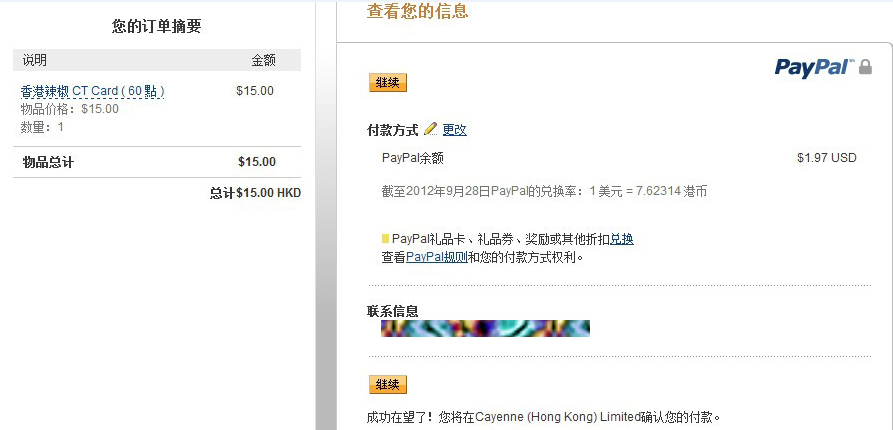
進入PayPal付款介面,登入PayPal帳戶,請檢查儲值點數數量及資料是否正確。
Login or Signup your own PayPal Account from the page of PayPal, Please kindly check if the information regards your purchase of CT point are correct.
步驟五 Step 5:
接著依照PayPal頁面進行登入與指示操作。
Follow the steps that PayPal asks for after you have logged into the correct
PayPal account.
步驟六 Step 6:
請檢查儲值點數數量及資料是否正確,再按確認送出,即可完成付款動作。
Please kindly check the information of purchase correct or not, and finish
the payment procedures by pressing 「Submit」
 。
。